


|
Name |
Fake Call |
|---|---|
|
Google Play Link |
GET IT ON
Google Play
|
|
Category |
Entertainment |
|
Developer |
Unit Apps and Games |
| Last version | 1.0 |
|
Updated |
|
|
Compatible with |
Android 6.0+ |
Introduction to Fake Call APK
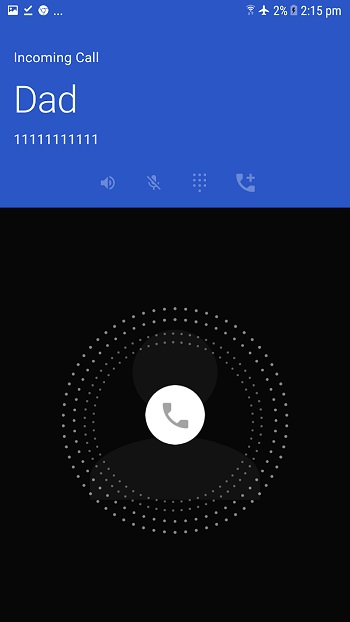
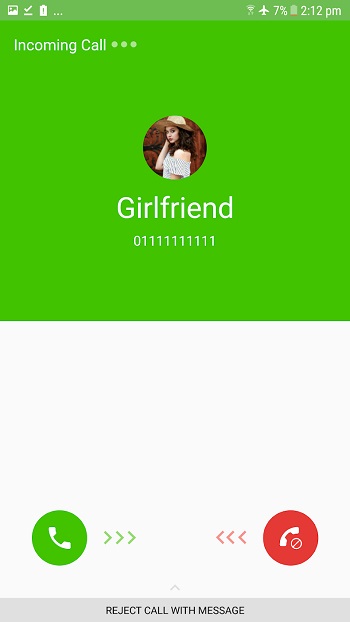
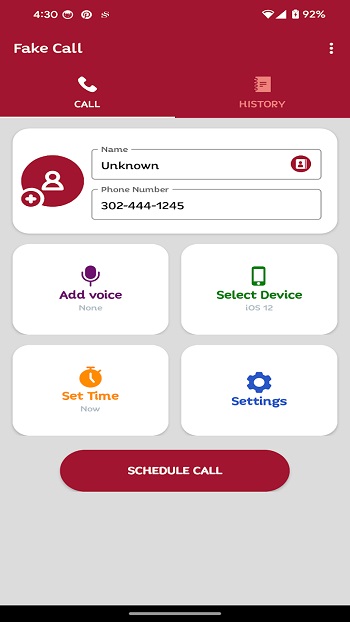
Fake Call APK is a utility app that creates simulated incoming calls on your phone. It lets you set up a call that looks like a real one, using a custom caller name, number, photo, ringtone, vibration, and delay time. The main idea is simple: you prepare a fake incoming call, then receive it when you need it.
The app is mainly used for prank calls, social situations, and quick personal excuses. For example, you can schedule a call before a meeting, during an awkward conversation, or when you want a light joke with friends. Since the app can work without internet, it stays useful even when mobile data or Wi-Fi is unavailable.
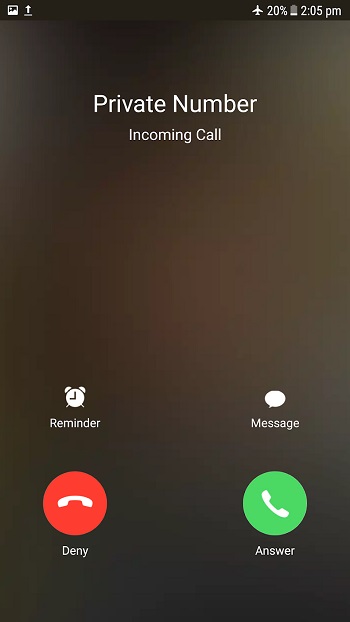
Fake Call APK gives users plenty of control over how the call appears. You can choose from many call screen layouts, add a caller from your contacts, adjust ring volume and media volume, set ring time and talk time, and even customize the flashlight behavior for each fake call. It also supports quick fake calls through shortcuts, which is handy when you need a fast setup.
One helpful feature is voice recording. You can record your own voice and make it play after you answer the fake call. This makes the call feel more natural, especially if someone nearby hears the audio. The app also keeps caller history, so you can check past fake calls and reuse details without setting everything up again from zero.
The biggest benefit of Fake Call APK is convenience. It gives users a quick way to create a believable call with very little effort. It can help shy users leave uncomfortable moments politely, help content creators make prank videos, or give friends a harmless laugh. Used with common sense, it is a small tool that can save you from some very weird silences.
There are a few limits to know. Fake Call APK does not create real phone calls, so it cannot connect you to another person or replace normal calling apps. Some call screens may look different depending on your device, and prank use can annoy people if taken too far. It works best when used lightly, privately, and without tricking anyone in a serious situation.
This overview is written to help regular users understand the app before installing it. Fake Call APK suits people who want a fake call simulator for casual pranks, planned exits, roleplay, or testing call screen behavior. It is most useful for users who want customization, offline use, and a simple setup without dealing with complex menus.
FAQs Fake Call
What is Fake Call APK used for?
+
Fake Call APK is used to create simulated incoming calls with custom caller details, timers, ringtones, photos, and voice playback.
Can Fake Call APK make real phone calls?
+
No. Fake Call APK only simulates incoming calls on your screen. It does not connect to a real caller or phone network.
Does Fake Call APK work without internet?
+
Yes. The app can create fake calls offline, so you can use it without Wi-Fi or mobile data.
Can I customize the fake caller in Fake Call APK?
+
Yes. You can change the caller name, phone number, photo, ringtone, vibration, call layout, ring time, talk time, and recorded voice.
Who should use Fake Call APK?
+
Fake Call APK is suitable for users who want prank calls, polite exit excuses, call screen testing, or light entertainment with friends.
Discover More Interesting Apps
-

MiraiMind
v1.1.85.2
93.24 Mb
Updated -
BIMOBIMO
v2.50.1
274.04 Mb
Updated -
MapleStory Worlds
v26.5.3
188.16 Mb
Updated -
Voice Changer With Effects
v4.3.5
17 MB
Updated -
Spectrum TV
v10.3.1.272487309.release
68.38 Mb
Updated -
LoveNasha
v5.8.4
68.93 Mb
Updated -
ARY ZAP
v3.6.2
77.42 Mb
Updated -
Oneplay
v10.11.4
51.24 Mb
Updated -
Mod
NetTV
v3.7.16
44.54 Mb
Updated -
Mod
Akinator VIP
v9.0.20
41 MB
Updated










Share Your Thoughts